
Setting Up a Thermal Transfer Printer: What Hardware You’ll Actually Need
A thermal transfer printer cannot produce a single usable label without two core components working together: the printer itself and a compatible ribbon. This pairing forms the foundation of the entire printing process, and getting it wrong is the most common reason new users run into smudged text, faded barcodes, or ribbon jams within the first few print jobs.
Unlike direct thermal printers, which use heat-sensitive paper that fades over time, thermal transfer printers apply heat to a ribbon coated with wax, resin, or a wax-resin blend. That ribbon melts onto the label surface, creating an image that resists smudging, moisture, and UV exposure far better than direct thermal output. Because of this, many industrial and warehouse operations rely on DuraFast thermal transfer labels for applications where durability matters, such as shipping, cold storage, or outdoor equipment tagging. Before any of that durability pays off, though, the hardware setup needs to be right.
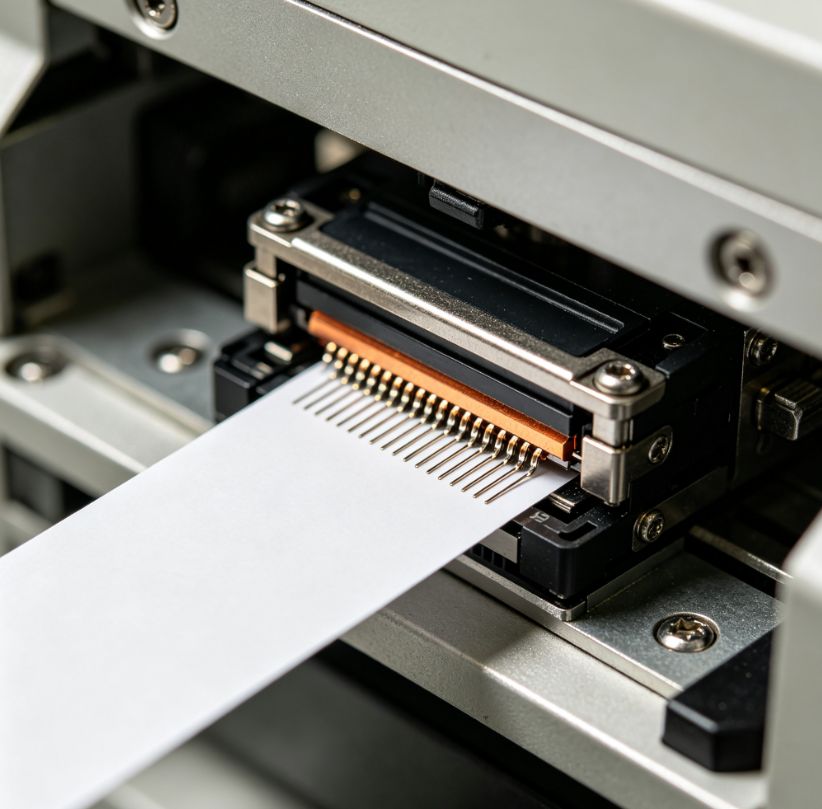
The Printhead: The Component Doing the Actual Work
The printhead is arguably the single most important piece of hardware in a thermal transfer system. It contains a row of tiny heating elements that press against the ribbon and label simultaneously, transferring the coating in precise patterns to form text, graphics, or barcodes.
Printheads come in two main configurations: flathead and near-edge. Flathead printheads press directly against the label at a wide contact angle and work well for general-purpose printing at moderate speeds. Near-edge printheads, by contrast, contact the ribbon at a much sharper angle just before it separates from the label. This design reduces ribbon wrinkling at high speeds, which is why near-edge models are common in high-volume industrial printers. Research published by AIM, the global barcode and RFID trade association, notes that print quality issues in barcode systems frequently trace back to printhead wear or mismatched pressure settings rather than software errors, which underscores how much hardware condition matters before troubleshooting anything else.
Printhead resolution, typically measured in dots per inch, also determines how fine the detail can be. Standard 203 dpi printheads handle most shipping and inventory labels adequately, but barcodes with small modules or labels containing detailed graphics often require 300 dpi or higher to scan reliably.
Matching Ribbon to Label Material
Once the printhead is confirmed compatible with the intended print volume, attention shifts to ribbon selection. Ribbons are not universal, and using the wrong type with a given label stock is one of the fastest ways to produce poor results or damage the printhead over time.
Wax ribbons work best on paper labels and offer the lowest cost per print, though they scratch more easily. Wax-resin ribbons provide a middle ground, suited to coated paper or light synthetic labels that need moderate chemical resistance. Full resin ribbons are formulated for synthetic materials such as polyester or polypropylene, and they hold up under extreme temperatures, chemical exposure, and prolonged outdoor use. Guidance from the Thermal Printer Resource Center, an industry education initiative supported by printer manufacturers, emphasizes that ribbon width should always match or slightly exceed label width, since a ribbon that is too narrow leaves unprinted edges and can cause uneven wear on the printhead.
Label material itself plays a role too. Paper labels are appropriate for short-term indoor use, while synthetic substrates are better suited for asset tags, chemical drums, or anything exposed to moisture. Choosing ribbon and label together, rather than separately, avoids compatibility problems that often only become apparent after a batch of labels has already been printed.
Printer Settings That Affect Output Quality
With the physical hardware in place, printer settings determine how well that hardware performs. Three settings matter most: heat or darkness level, print speed, and label sensor calibration.
Heat settings control how much energy the printhead applies to melt the ribbon coating. Too little heat produces faint or incomplete images, while excessive heat can burn through the ribbon, shorten printhead life, and cause ribbon wrinkling. Print speed interacts closely with heat. Slower speeds generally allow more even heat transfer, which is why manufacturers often recommend reducing speed when working with resin ribbons or detailed barcodes. According to documentation from Zebra Technologies, one of the largest manufacturers of industrial label printers, calibrating the label sensor correctly is essential for gap and black-mark detection, since miscalibration leads to skipped labels or inconsistent print positioning.
Basic Setup Steps
Once the right components are on hand, initial setup generally follows a consistent sequence:
- Install the printhead assembly and confirm it is seated correctly according to the manufacturer’s manual.
- Load the ribbon so the coated side faces the label stock, not away from it, which is a common early mistake.
- Load the label roll and align it with the sensor guides.
- Run the printer’s calibration function to detect label gaps or marks.
- Print a test label at default settings, then adjust heat and speed based on print clarity.
Working through these steps in order helps isolate problems if something goes wrong. A blurry test print, for instance, usually points to heat or speed settings rather than a hardware defect, while skipped labels almost always trace back to sensor calibration. If the issue seems to extend beyond the printer itself, such as a print job that never reaches the queue or a connection that keeps dropping, it is worth reviewing general computer and printing troubleshooting steps before assuming the hardware is at fault.
Looking Ahead
As barcode and labeling demands grow more specialized, particularly in cold chain logistics and outdoor asset tracking, the relationship between printhead type, ribbon chemistry, and label material will continue to matter more than software features alone. Understanding how these hardware elements interact gives users a much stronger foundation for troubleshooting and long-term print quality, regardless of which printer brand or model they choose.
